In this guide you’ll scaffold a project, start the Polos server, and run a coding agent that can create files, execute shell commands, and search a codebase - all with built-in sandbox restrictions and interactive approval in the terminal.

Prerequisites

Install Polos

Run the install script to download the Polos server and CLI:
curl -fsSL https://install.polos.dev/install.sh | bash
Add the Polos bin directory to your PATH (if not already added):
export PATH="$HOME/.polos/bin:$PATH"
Add this line to your shell profile (~/.bashrc, ~/.zshrc, etc.) to make it permanent.

Create a project

Scaffold a new project with create-polos:
npx create-polos my-project
The CLI walks you through setup:
✓ Project name: my-project
✓ LLM provider: Anthropic
✓ Done!
This generates a project with two agents (coding_agent and assistant_agent) and a sample multi-agent workflow.

Configure your API key

cd my-project
cp .env.example .env
Edit .env and fill in your API key:
ANTHROPIC_API_KEY=sk-ant-...

Start the server

Start the Polos server and worker with a single command:
polos dev
You should see:
✓ Polos server started → http://localhost:5173
✓ Worker connected - agents: coding_agent, assistant_agent
Watching for changes...
polos dev starts the orchestrator, connects your worker, and watches for code changes with hot reload.

Run an agent

In a second terminal, start an interactive session with the coding agent:
polos run coding_agent
Give it a task:
> Build a REST API with Express and SQLite — one endpoint: GET /orders
The agent will start working - writing files, running commands, and building the project inside a sandboxed environment. When it needs to execute a command or write a file, polos run prompts you for approval directly in the terminal:
COMMAND APPROVAL REQUIRED

  The agent wants to run a command:

    Command:   npm init -y && npm install express better-sqlite3
    Directory: /workspace

  Approve this command? (y/n): y

  -> Approved. Resuming...
Approve each step and the agent will create the files, run them, and report the results.

View in the UI

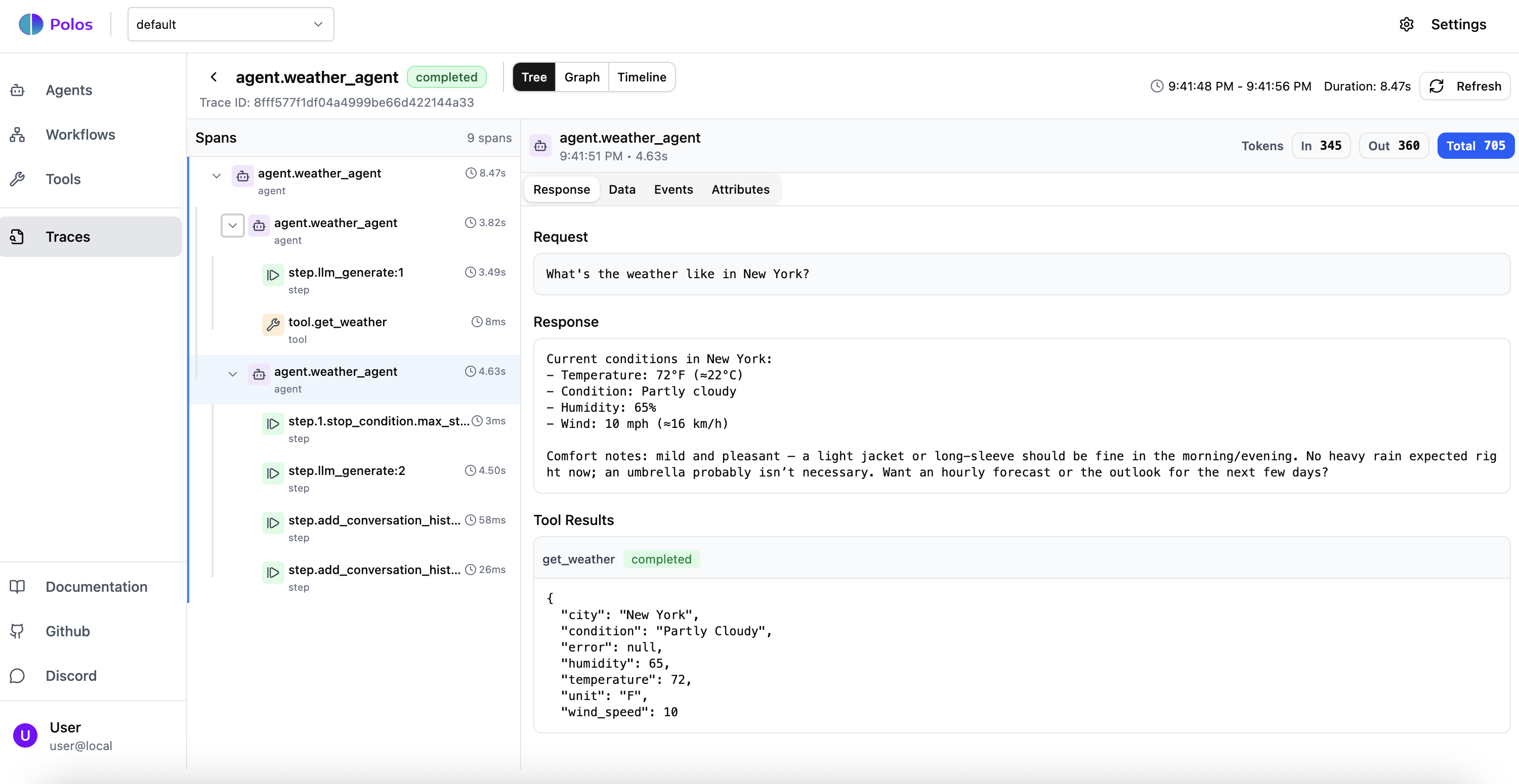
Open http://localhost:5173 to see your agent execution in the Polos dashboard. You can trace every step, see tool calls, and inspect the agent’s reasoning. Polos dashboard showing agent execution trace
Understand the code

Project structure

create-polos generates the following structure:
my-project/
├── package.json
├── tsconfig.json
├── .env.example
├── src/
│   ├── main.ts                          # Worker entry point
│   ├── agents/
│   │   ├── coding-agent.ts              # Coding agent with sandbox tools
│   │   └── assistant-agent.ts           # General-purpose assistant
│   └── workflows/
│       └── text-review/
│           ├── agents.ts                # Specialized review agents
│           └── workflow.ts              # Multi-agent review workflow

Agent definition

The coding agent gets six built-in sandbox tools (exec, read, write, edit, glob, grep) via a single sandboxTools() call:
src/agents/coding-agent.ts
import { anthropic } from '@ai-sdk/anthropic';
import { defineAgent, maxSteps, sandboxTools } from '@polos/sdk';

const tools = sandboxTools({
  env: 'local',
});

export const codingAgent = defineAgent({
  id: 'coding_agent',
  model: anthropic('claude-sonnet-4-5'),
  systemPrompt: 'You are a coding agent with access to sandbox tools. Use your tools to read, write, and execute code.',
  tools,
  stopConditions: [maxSteps({ count: 30 })],
});
Key things to notice:
  • env: "local" runs tools directly on the host - for container isolation in production, use "docker" instead (see Sandbox Tools)
  • Exec security defaults to approval-always for local mode - every shell command suspends for your approval
  • The agent gets six tools automatically: exec, read, write, edit, glob, grep

Worker entry point

The worker registers agents and workflows with the orchestrator. polos dev runs this automatically.
src/main.ts
import 'dotenv/config';
import { Polos } from '@polos/sdk';

// Import agents and workflows for registration
import './agents/coding-agent.js';
import './agents/assistant-agent.js';
import './workflows/text-review/agents.js';
import './workflows/text-review/workflow.js';

const polos = new Polos();
await polos.serve();

The Polos CLI

Once you’re running, the CLI gives you full control:
polos dev                    # Start server + worker with hot reload
polos run <agent>            # Start an interactive session with an agent
polos agent list             # List available agents
polos tool list              # List available tools
polos logs <agent>           # Stream logs from agent runs

What just happened?

  1. create-polos scaffolded a project with agents, a workflow, and configuration
  2. polos dev started the orchestrator, connected your worker, and began watching for changes
  3. polos run started an interactive session - the agent decided to write a file, and Polos suspended execution for your approval
  4. You approved - Polos resumed execution exactly where it left off
  5. The agent ran code in a sandboxed environment with built-in tools
  6. Every step was durably checkpointed - if the process crashed mid-execution, it would resume from the last completed step without re-running the LLM calls you already paid for
This is Polos in action: sandboxed execution, human-in-the-loop approval, and durable state - all without writing retry logic, state machines, or approval infrastructure yourself.

Next steps

Core Concepts

Understand how Polos handles state and durability

Agents

Learn about tools, sandbox, streaming, and more

Workflows

Orchestrate multi-step processes with human-in-the-loop

Examples

See more examples: HITL agents, multi-agent systems, and more
Need help? Join our Discord community for support and discussions.